Track phone calls in Google Analytics and Ads

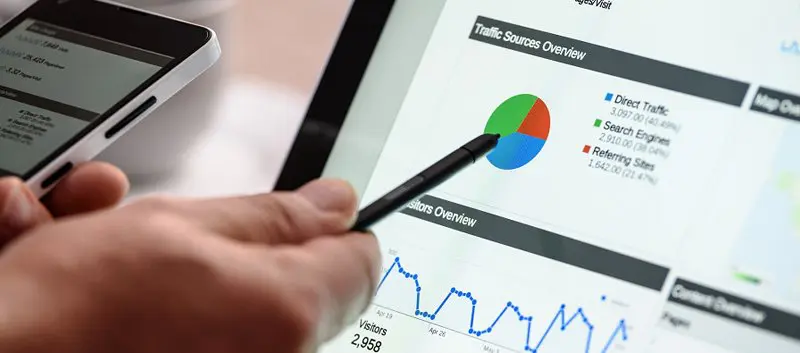
Are you missing a crucial piece of data from your marketing response? Integrating call tracking with your Google Analytics and Ads accounts enables you to view telephone conversions alongside online conversions, giving you a more complete view of how your marketing campaigns are performing.
Mediahawk offers the most advanced Analytics integration available, and provides a granular level of detail for advanced tracking.
Brief summary
- Google Analytics tracks phone number clicks, not actual calls – GA4 can record when someone clicks a tel: link, but can’t tell if they completed the call or its outcome
- True call tracking requires specialised software – Mediahawk provides unique forwarding numbers that capture call duration, outcome, and caller journey data
- Three implementation methods available – MonsterInsights plugin for WordPress, manual onclick parameters, or Google Tag Manager for different levels of control
- Universal Analytics is fully deprecated – all tracking must use GA4 event tracking syntax and reporting structures, as legacy GA code no longer captures data
- Call data appears in GA4 Events report – navigate to Reports > Life cycle > Engagement > Events to find phone call interactions alongside other site activities
- Google Ads phone snippets enable direct campaign attribution – implement call tracking code with conversion IDs to feed phone conversions back into Google Ads bidding strategies
- GDPR compliance requires Google Consent Mode – configure tracking to respect user consent preferences while maintaining conversion modelling capabilities
- Advanced attribution needs dynamic number insertion – show different tracking numbers to visitors from different campaigns for complete attribution accuracy
- Speech Analytics enhances call data quality – determine call outcomes and quality beyond just volume, sending enriched conversion data to GA4 for better optimisation
- Mediahawk integration provides granular detail – view which pages generate calls, track campaign interactions, create custom dimensions, and compare phone data to online activity in Analytics
Understanding call tracking vs click tracking
Before diving into implementation, it’s important to understand what Google Analytics can and cannot track when it comes to phone calls. This distinction affects which method you’ll need to use.
Google Analytics primarily tracks clicks on phone numbers, not actual calls
When someone clicks a tel: link on your website, GA4 can record this as an event. However, this doesn’t tell you whether the person actually made the call, how long they spoke, or if the call resulted in a conversion.
True call tracking requires specialised software with forwarding numbers
Mediahawk provides unique tracking numbers that forward to your main line, capturing detailed call data including duration, outcome, and caller journey. This data can then be sent to Google Analytics as conversion events.
Benefits of integrating Google Analytics and Mediahawk
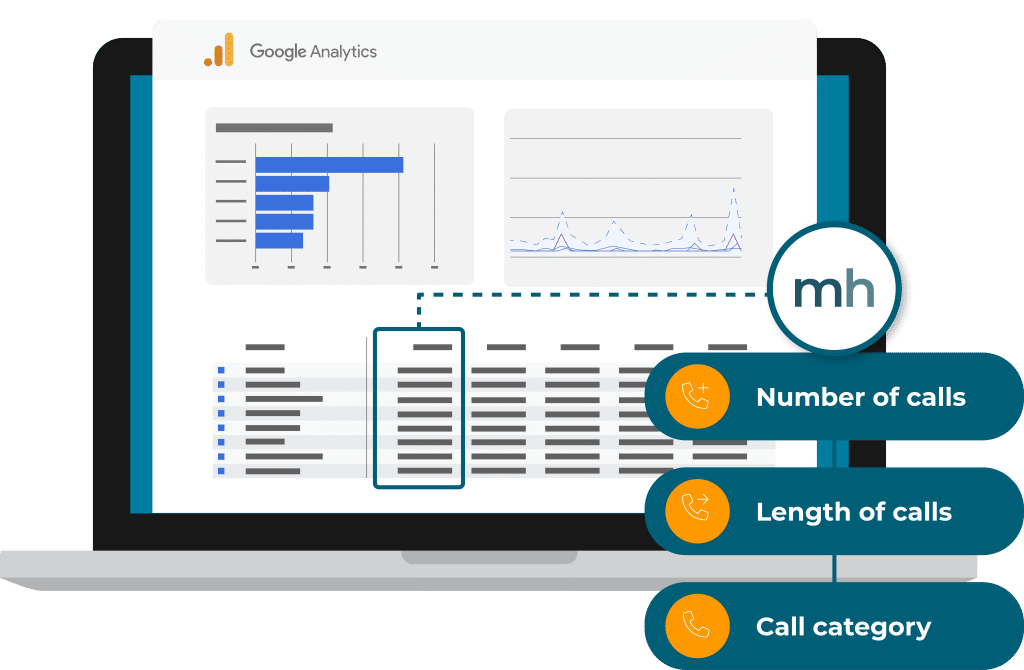 Our Google Analytics integration provides you with a better understanding of the interactions that lead to call conversions:
- Easily view which pages generate calls in your GA4 account
- Track every interaction with your campaigns and view phone calls in Analytics
- View custom data about the phone call, such as call length or service number
- Create custom dimensions and metrics to track even more detail
- Compare your phone call data to your online activity in GA4
- Customise the information you send to Analytics per number or campaign
The method you choose depends on your tracking needs
If you simply want to know which pages generate the most phone number clicks, basic GA4 event tracking will suffice. You’ll need dedicated call tracking software to understand call outcomes, measure call quality, or attribute revenue to specific campaigns.
This fundamental difference shapes how you approach implementation and what insights you can expect from your data.
Method 1: Using MonsterInsights for WordPress sites
For WordPress users, MonsterInsights offers the simplest way to automatically track phone number clicks without manual coding.
- Install and configure the MonsterInsights plugin
After installing the plugin, connect it to your Google Analytics account through the setup wizard. The plugin automatically detects tel: links on your site and begins tracking clicks as GA4 events. - The plugin handles event configuration automatically
MonsterInsights creates events with logical naming conventions – typically using “Phone Call” as the event name and the phone number as a parameter. This makes it easy to identify phone-related activity in your GA4 reports. - Benefits include automatic updates and compatibility
As Google Analytics evolves, MonsterInsights updates ensure your tracking continues working without manual intervention. The plugin also handles common WordPress themes and page builders that might interfere with manual tracking code.
Limitations to consider:
While convenient, plugin-based tracking only captures clicks, not actual call completion or duration. You’ll still need to integrate with call tracking software for comprehensive call attribution.
Method 2: Manual onclick parameter tracking
For more control over your tracking implementation, you can add custom event tracking code directly to your phone number links.
- Add onclick parameters to your tel: links
Modify your HTML phone links to include onclick event tracking. - Define meaningful event parameters
Use the event_category to group related actions (e.g., “Contact”), and event_label to identify specific phone numbers or locations on your site. This structure makes analysis easier in GA4 reports. - Test your implementation thoroughly
Use Google Analytics DebugView or browser developer tools to verify events fire correctly when phone numbers are clicked. Check that parameter values appear as expected in your GA4 interface.
This method provides granular control over exactly which phone numbers are tracked and how events are categorised, but requires technical knowledge and manual updates when phone numbers change.
Method 3: Google Tag Manager implementation
 Google Tag Manager offers a balanced approach between ease of use and implementation control, particularly useful for Google Ads call tracking.
- Create a new tag in GTM for call tracking
In your Google Tag Manager container, create a new tag using the “Google Ads Call Conversions” tag type. This automatically handles the technical implementation for Google Ads call tracking. - Configure your conversion settings
Enter your Google Ads conversion ID, conversion label, and phone number. GTM will generate the necessary tracking code and manage when it fires based on your trigger settings. - Set up triggers for phone number interactions
Create triggers that fire when users click phone numbers or when specific conditions are met. To ensure accurate attribution, you can target specific pages, user types, or traffic sources. - For multiple phone numbers
Create separate tags or use variable configuration to track different numbers with appropriate labels. This approach scales better than manual code implementation across large websites.
GTM provides easier management and testing through its preview mode, allowing you to verify tracking before publishing changes to your live site.
Finding your call data in GA4
Once you’ve implemented call tracking, you need to know where to find the data within Google Analytics 4’s interface.
- Navigate to the Events report
In GA4, go to Reports > Life cycle > Engagement > Events to see all tracked events on your site, including phone call clicks. Your call events will appear alongside other interactions like page views and form submissions. - Use the event name to filter call data
Depending on your implementation method, look for event names like “phone_call”, “click”, or custom names you’ve defined. Click on the event name to see detailed breakdowns, including parameters and user demographics. - Create custom reports for call analysis
Use GA4’s Analysis Hub to build custom reports that combine call data with other metrics. For example, you can analyse which traffic sources generate the most phone calls or compare call rates across different pages. - Set up conversion tracking for important calls
Mark your call events as conversions in GA4 to include them in conversion reports and use them for Google Ads optimisation. This ensures phone calls receive proper attribution in your marketing analysis.
Integrating with Google Ads phone snippets
For Google Ads campaigns, you can implement call tracking directly through Google Ads phone snippets for more detailed attribution.
- Add the Google Ads phone snippet to your site
Insert the Google Ads call tracking code in your website’s HTML, typically in the header section. - Configure conversion parameters
Replace CONVERSION_ID and CONVERSION_LABEL with your actual Google Ads conversion tracking details. The phone_conversion_number should be the number you want to track for this specific campaign or page. - Use optional parameters for enhanced tracking
The phone_conversion_callback function allows you to capture additional data when calls are initiated, while phone_conversion_css_class lets you apply tracking to specific phone number elements on your page.
This method directly integrates with Google Ads reporting and optimisation algorithms, making it particularly valuable for PPC campaigns where call conversions need to feed back into bidding strategies.
Google Ads integration
Mediahawk integrates directly with Google Ads to give you a clear picture of your Google Ads performance and what’s actually driving business:
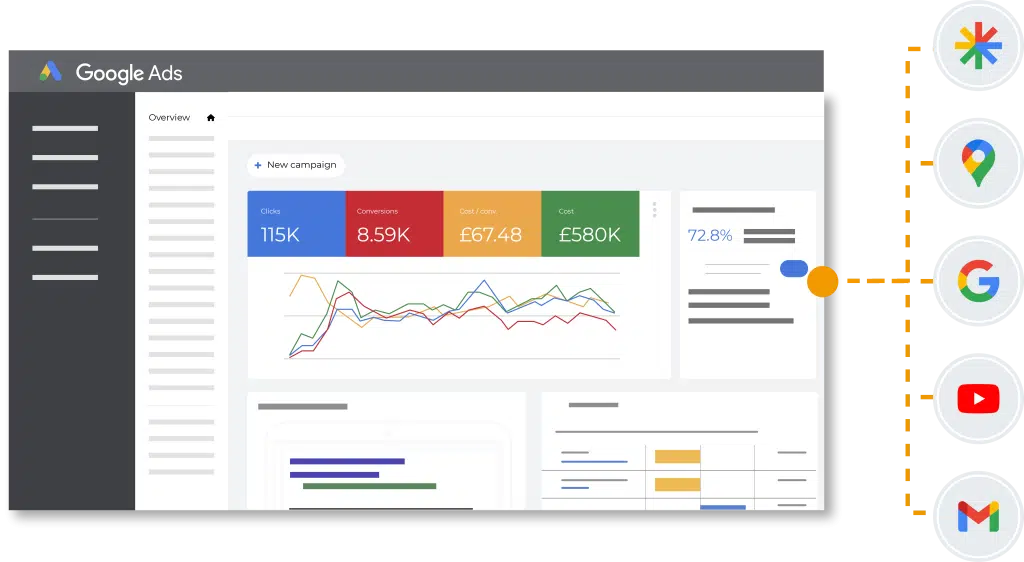
- Track every call, not just clicks and forms, so you capture conversions you might have been missing.
- Send accurate, high-quality conversion data to Google so it can automatically optimise bids for clicks that are most likely to turn into genuine enquiries.
- Focus your budget on campaigns that generate genuine leads, cutting wasted ad spend.
- See exactly which search terms trigger high-value, high-intent calls, not just clicks, to refine your PPC strategy.
- Only send meaningful calls into Google Ads, filtering out short or low-value interactions that could skew your reporting.
- Follow the path from search to call and understand which campaigns are driving results.
Learn more about the benefits of integrating Mediahawk with Google Ads >
GA4 compliance and privacy
All tracking methods must work exclusively with GA4. With Universal Analytics fully deprecated, ensure any implementation uses GA4 event tracking syntax and reporting structures. Legacy GA tracking code will no longer capture data.
- Implement Google Consent Mode for GDPR compliance
Configure your call tracking to respect user consent preferences by integrating with Google Consent Mode. This ensures tracking only occurs when users have provided appropriate consent while maintaining conversion modelling capabilities. - Consider server-side tagging for enhanced privacy
Advanced implementations can use Google Tag Manager Server-side tagging to process call tracking data on your own servers before sending to Google Analytics. This approach provides better data control and can improve site performance.
Advanced tracking for comprehensive attribution
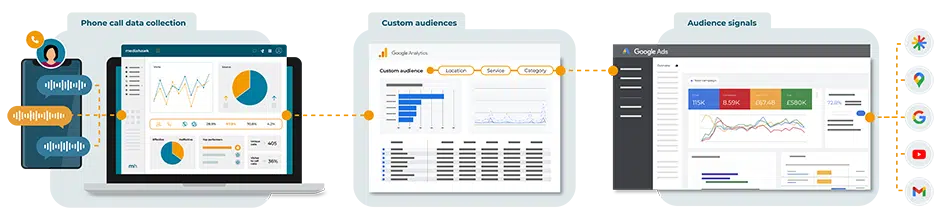
While GA4 can track phone number clicks, integrating with Mediahawk’s call tracking platform provides complete attribution by sending actual call outcomes back to Google Analytics as conversion events.
This is where unified conversion tracking across calls, forms, and chat becomes essential, giving you a complete view of every interaction in one place.
For advanced attribution, use dynamic number insertion to show different tracking numbers to visitors from different campaigns, then send all call data back to GA4 with proper campaign attribution.
Beyond tracking the number of calls that occur, Speech Analytics can determine call outcomes and quality, sending this enhanced data to GA4 for more accurate conversion tracking and campaign optimisation.

Request a demo today to find out how Mediahawk can ensure your marketing campaigns receive proper credit for generating phone calls.